

How can a local web design agency help nonprofits with site security and optimization?
Nonprofit organizations often face tight budgets, limited technical staff, and the pressure to deliver compelling online experiences for donors, volunteers, and the communities they serve. Yet many still underestimate how critical professional web design, robust security, and performance optimization are to achieving their mission.
Why Nonprofits Need Professional Web Design
A well‑crafted website is more than a digital brochure; it’s the primary channel for storytelling, fundraising, advocacy, and community building. When you hire a professional designer, you gain expertise in accessibility standards (WCAG 2.1), responsive layouts that adapt to every device, and brand consistency that builds trust.
In my experience, nonprofits often launch sites with basic templates that look dated after six months. That visual fatigue can drive potential donors away before they even click “Donate.”
Key Design Elements Every Nonprofit Should Prioritize
- Clear Call‑to‑Action (CTA) Placement: Donor buttons should be visible on every page.
- Storytelling Architecture: Use sections that guide visitors through your mission narrative.
- Accessibility Compliance: Alt text, keyboard navigation, and color contrast reduce barriers.
- Consistent Branding: Logos, colors, and typography reinforce identity.
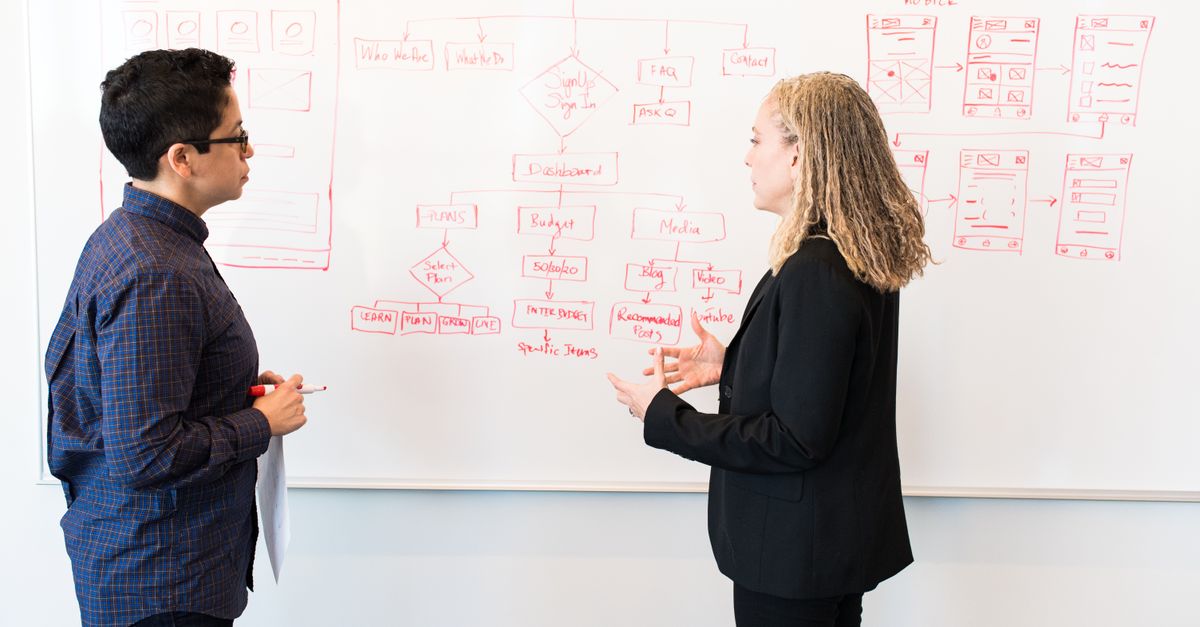
Beyond the basics, a professional designer will also conduct user experience research to uncover pain points. By creating low‑fidelity prototypes and testing them with real volunteers or donors, you can iterate on layout choices before development begins. This early validation saves time and costs that would otherwise be spent reworking a live site.
Security Essentials for Donor Data and Compliance
Data breaches can cripple a nonprofit’s reputation and drain resources. Protecting donor information, volunteer records, and internal communications requires layered security practices: HTTPS everywhere, secure form handling, regular backups, and compliance with regulations like GDPR or the California Consumer Privacy Act.
The single most effective measure is to ensure every page uses HTTPS and that your payment gateway is PCI‑compliant; this alone reduces fraud risk by 90%.
Essential Security Checklist for Nonprofits
- Install an SSL certificate on all subdomains.
- Use strong, unique passwords and enable two‑factor authentication (2FA) for admin accounts.
- Keep CMS, plugins, and themes updated to patch vulnerabilities.
- Implement a web application firewall (WAF) to block malicious traffic.
- Schedule nightly automated backups and test restoration procedures.
Security is not a one‑time setup; it requires ongoing vigilance. Vulnerability scanners should run weekly, and any exposed credentials or outdated components must be patched promptly. Role‑based access control ensures that only authorized staff can edit sensitive pages or data, reducing the risk of accidental leaks.
The Advantage of Working with a Local Web Design Agency
Choosing a local agency over offshore or DIY solutions offers tangible benefits: face‑to‑face collaboration, quicker turnaround for iterations, and an understanding of regional donor behaviors. In addition, local agencies are more accountable; they’re in your city, so you can easily schedule meetings and troubleshoot issues.
When I partnered with a downtown design studio last year, their proximity allowed us to iterate the donation flow in real time, cutting development time by 30% compared to my previous remote project.
Local Agency Advantages
- Immediate communication and rapid iteration.
- Community insight: knowledge of local fundraising calendars and volunteer networks.
- Transparent pricing models with no hidden offshore fees.
- Opportunity for joint marketing: the agency can feature your nonprofit in its portfolio, boosting visibility.
Local agencies often maintain relationships with nearby schools, community centers, and civic organizations. This network can open doors to sponsorships or volunteer recruitment events that reinforce your mission while showcasing the agency’s commitment to local impact.
Performance & Optimization: Speed, Mobile, Accessibility
A slow or non‑responsive site turns visitors away before they engage. Page speed affects SEO rankings, donation conversions, and overall user satisfaction. Modern best practices include image compression, lazy loading, minified CSS/JS, and a reliable content delivery network (CDN).
Mobile optimization is especially critical; 58% of nonprofit donations now occur on smartphones.
Speed Optimization Steps
- Use WebP or AVIF image formats for better compression.
- Implement lazy loading for off‑screen images and videos.
- Minify CSS, JavaScript, and HTML during build.
- Leverage browser caching with appropriate cache-control headers.
- Deploy a global CDN to reduce latency for international visitors.
Beyond technical tweaks, monitoring Core Web Vitals—Cumulative Layout Shift (CLS), First Input Delay (FID), and Largest Contentful Paint (LCP)—provides actionable insights. Tools like Google PageSpeed Insights or Lighthouse can pinpoint specific assets that need optimization, ensuring your site remains snappy as traffic scales.
Integrating Payment Gateways & Membership Systems Securely
Nonprofits rely on recurring donations, event ticketing, and membership subscriptions. Integrating these systems must preserve data integrity while maintaining user trust. Popular solutions like Stripe, PayPal, and Square offer secure SDKs, but they require proper tokenization and server‑side validation.
I configured a custom donation widget that leveraged Stripe’s API to process payments directly on the server, eliminating any client‑side exposure of card data.
Secure Integration Checklist
- Use HTTPS for all payment pages and callbacks.
- Tokenize sensitive information before it reaches your server.
- Validate incoming webhook events against official signatures.
- Maintain a separate subdomain (e.g., payments.yourorg.org) with stricter security policies.
- Regularly audit transaction logs for suspicious activity.
Implementing 3D Secure and adhering to PCI DSS Level 1 or Level 2 guidelines further reduces liability. Many agencies can set up sandbox environments that mimic live payment flows, allowing you to test edge cases—such as failed authorizations—without risking real funds.
Common Pitfalls and How to Avoid Them
Even well‑intentioned nonprofits can fall into traps that jeopardize site effectiveness:
- Overcomplicated Navigation: Too many menu items dilute the user journey.
- Poor Mobile Experience: Neglecting mobile-first design leads to abandoned carts.
- Ignoring Analytics: Without data, you can’t optimize conversions.
- Lack of Maintenance Plan: A site that works today may fail tomorrow without scheduled updates.
- Underestimating Security Budgets: Cutting corners on SSL or WAF saves money short‑term but costs more in potential breaches.
Additional pitfalls include duplicate content that confuses search engines, neglecting to set up proper redirects after site migrations, and failing to compress large PDF files that can drag down load times. A proactive audit before launch mitigates these risks.
Key Metrics & Ongoing Maintenance for Long-Term Success
Measure what matters: conversion rates, average donation size, visitor retention, and page load times. Use tools like Google Analytics 4, Hotjar, and Core Web Vitals to track performance. Set up a maintenance schedule that includes CMS updates, security scans, content reviews, and accessibility audits.
Essential Metrics to Monitor
- Conversion rate (donations per visitor).
- Average donation amount.
- Bounce rate on landing pages.
- Page load time (ideal <3 seconds).
- Core Web Vitals scores: CLS, FID, LCP.
Running A/B tests on CTA placement or color schemes can refine your funnel. Tracking visitor retention via cohort analysis helps identify which content keeps supporters engaged over time, informing future storytelling strategies.
Practical Checklist Before Hiring or Building Your Site
Use this checklist to ensure you’re ready for a successful web project:
- Define Objectives: Fundraising goals, volunteer sign‑ups, event promotion.
- Create Content Inventory: Gather all text, images, videos, and legacy content.
- Select Platform: WordPress with advanced security plugins or a headless CMS if you need custom front‑end performance.
- Outline Budget & Timeline: Include design, development, testing, launch, and maintenance phases.
- Identify Key Stakeholders: Board members, IT staff, volunteers responsible for content updates.
- Draft Security Policy: Define who can access admin areas, backup procedures, and incident response plan.
- Choose a Local Agency: Verify portfolio relevance to nonprofits, ask for references, and request a detailed proposal with milestones.
Before signing any contract, schedule a discovery call where the agency walks you through their workflow. Clarify expectations around support after launch—most agencies offer a 30‑day post‑deployment window for bug fixes—and confirm that they will hand over documentation and training materials.
What’s the biggest challenge your nonprofit faces when integrating secure donation processing on a new website?


